Why can't I connect RemotEye 4 to my email server (SMTP Relay)?
Updated: 02/23/2023
Article #: 38
1) Navigate to the web application and go to UPS Monitoring -> History Logs -> RemotEye 4 Events Logs
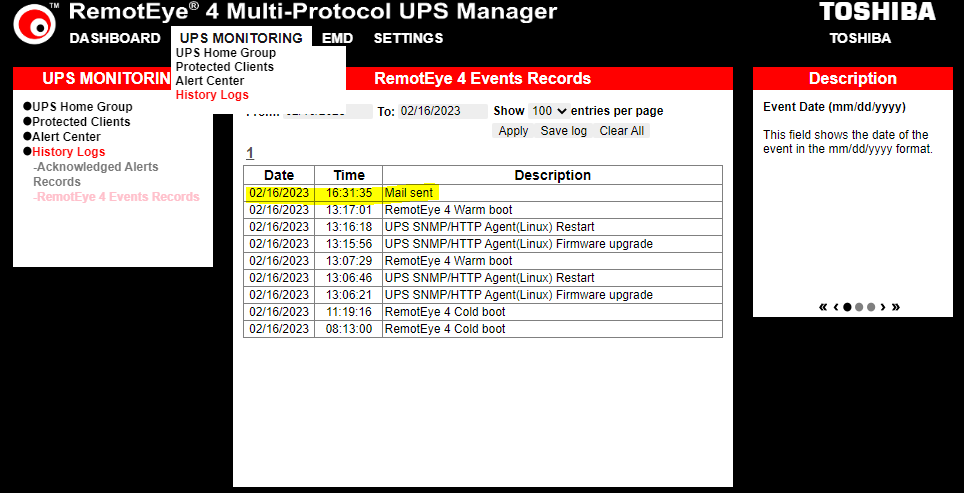
2) Check if the Mail was sent successfully or it encountered some error. If the event logs is returning error code then simply search the error code online for further debugging.
Common SMTP 400 error codes
| Error code | Description |
|---|---|
| 421 | Service isn't available, try again later |
| 450 | Requested action wasn't taken because the user's mailbox was unavailable |
| 451 | Message not sent because of server error |
| 452 | Command stopped because there isn’t enough server storage |
| 455 | Server can't deal with the command right now |
Note: RemotEye 4 does not support OAUTH. It only supports LOGIN, DIGEST-MD5, CRAM-MD5, and NTLM.
|
Rate this Topic:
|
|||
|
