Enabling HTTPS
Updated: 01/10/2023
Article #: 8
HTTPS may be enabled to ensure secure access to the web application of the RemotEye 4 IoT card, which will encrypt communication between the web browser and RemotEye 4. RemotEye 4 cards come with both HTTP and HTTPS enabled, however, should HTTPS be disabled, the following steps should be followed to enable it:
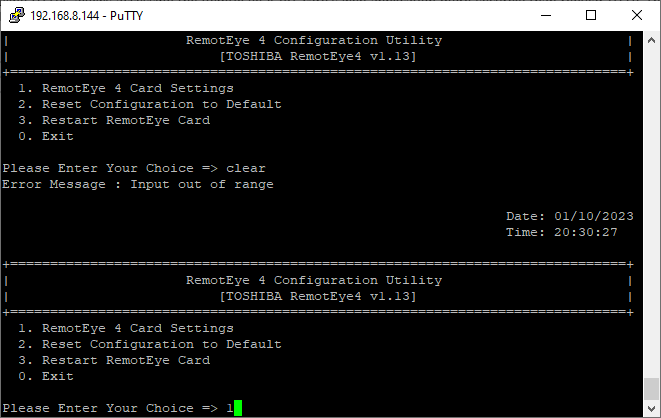
- SSH or Telnet to the RemotEye 4.
- Enter your admin credentials to access the console settings.
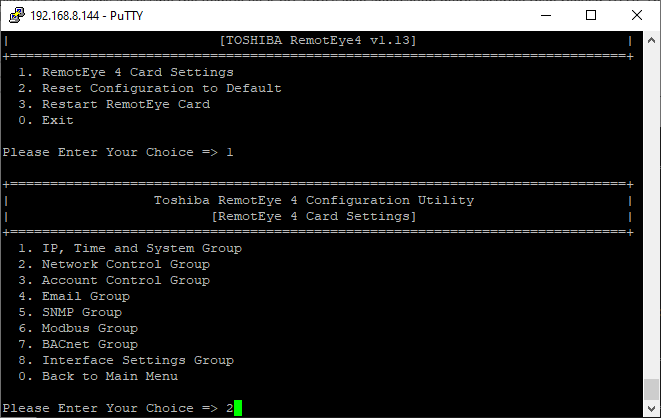
- Select "1" for "RemotEye 4 Card Settings"
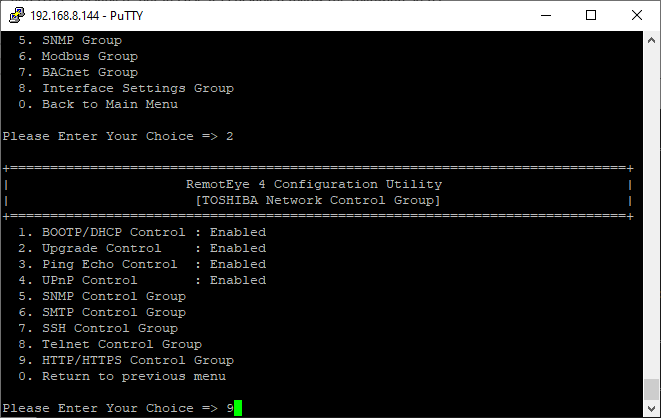
Select "2" for "Network Contol Group"
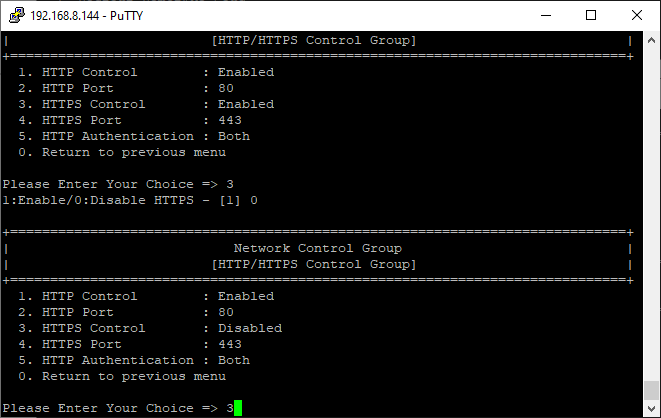
Select "9" for "HTTP/HTTPS Control Group"
Select "3" for "HTTPS Control" and enable it.
|
Rate this Topic:
|
|||
|
